.png)
.png)
.png)
.png)

Download TubeMate 2 APK – YouTube Downloader, Video Utility, Free Mobile Tool
Overview
TubeMate 2 APK is a free mobile application designed to enable users to download videos from YouTube directly to their Android devices. The software serves as a utility for individuals seeking to save content such as music videos, tutorials, educational guides, and other video entertainment without relying on YouTube Premium. It provides an alternative for users who wish to reduce data consumption by downloading content for offline viewing. The app is particularly useful for those with limited internet access or those who frequently replay the same videos. It supports a range of video formats and quality options, allowing users to choose between audio-only and video files up to 1280x720p resolution. The developer did not provide additional details about the company or organization behind the application. Real-world usage scenarios include saving lecture recordings, music playlists, and instructional videos for later access. The app is compatible with older Android versions, as confirmed in recent updates. It also includes features like screen wake-up during playback and WiFi-only download restrictions, enhancing usability for various user needs.
Key Features & Capabilities
- YouTube Video Downloading – Allows users to save videos directly from YouTube to their device for offline access.
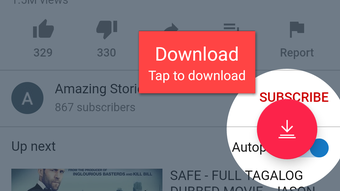
- In-App Browser – Built-in browser enables navigation to YouTube videos without switching applications.
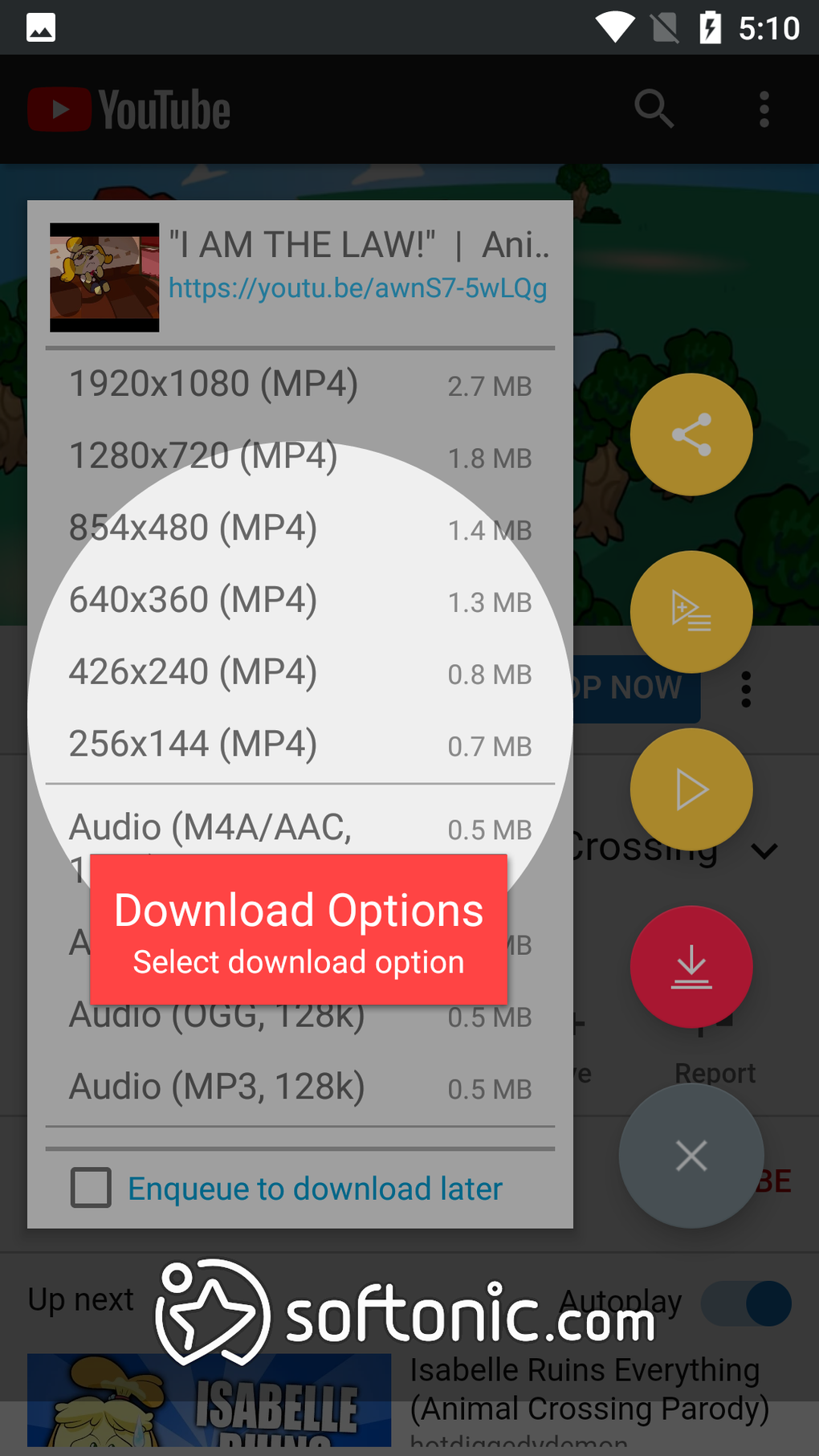
- Multiple Quality Options – Users can select from various resolutions, including audio-only and up to 1280x720p video.
- Resume Downloads – If the internet connection drops, downloads automatically resume when reconnected.
- Fast Download Mode – Uses multiple connections to speed up downloads, reducing time for large files.
- Simultaneous Downloads – Supports multiple downloads at once, with adjustable limits based on device capability.
- WiFi-Only Downloads – Option to restrict downloads to WiFi only, helping avoid mobile data charges.
- Batch Downloading – Enables downloading multiple videos in a single session.
These features support efficient content management for users who frequently access online video material. For example, a student can download a series of lecture videos to study offline, while a music enthusiast can save favorite songs for repeat listening without streaming. The fast download mode is especially beneficial in environments with moderate internet speeds. The resume function ensures reliability during unstable connections. The in-app browser allows previewing videos before downloading, improving decision-making. However, the interface of the browser is noted as clunky, which may lead to accidental taps during navigation.
User Interface, Workflow & Performance
The user interface of TubeMate 2 APK is described as functional but not intuitive. Navigation within the app can be challenging due to a clunky layout and unclear touch targets, increasing the likelihood of unintended actions. The workflow for downloading videos involves browsing through the in-app browser, selecting the download option, and choosing the desired quality. While this process is straightforward in theory, the interface design may cause confusion, particularly for less tech-savvy users. The app’s performance varies depending on device capabilities and the number of concurrent downloads. The developer did not specify resource usage details. Performance observations are based on general software behavior patterns. High levels of background activity, especially with multiple downloads, may lead to increased CPU and RAM usage. Users on older Android devices may experience lag or instability, particularly when the app runs in the background. The application may crash under heavy load, especially if system resources are not managed properly. The download speed is reported to be unstable, with frequent drops despite user-defined speed settings. This instability is likely influenced by network conditions and service limitations rather than the app itself.
Compatibility & System Requirements
TubeMate 2 APK is designed for Android operating systems and supports older versions of the platform, as confirmed in recent updates. The application is available as an APK file, indicating it is distributed outside official app stores. The exact installation size was not specified. The developer did not provide additional system requirements. Compatibility information was partially provided. Users should ensure their device meets basic Android functionality requirements to run the app. The application does not require a specific processor or memory configuration beyond standard Android device capabilities. However, older devices may experience performance issues due to high resource usage during downloads. The app’s ability to handle multiple downloads simultaneously depends on the device’s processing power and available RAM.
Pros and Cons
Pros
- Free to download and use without subscription
- Supports downloading videos from YouTube and other platforms
- Offers resume functionality for interrupted downloads
- Fast download mode speeds up large file transfers
- Allows WiFi-only downloads to avoid mobile data usage
- Supports older Android versions
- Enables offline viewing of favorite content
Cons
- Clunky and unintuitive user interface
- Unstable download speed with frequent drops
- High resource usage may cause crashes on older devices
- In-app browser has poor touch responsiveness
- Interface design increases risk of accidental taps
- Download quality options limited by device capabilities
FAQ Section
Is TubeMate 2 APK safe to download and install?
The app is distributed as an APK file, which means it is not available through official app stores. Users should ensure they download from trusted sources to avoid potential security risks. The developer did not provide security certifications or privacy policies.
Can I use TubeMate 2 on older Android devices?
Yes, the app supports older Android versions, as confirmed in recent updates. However, performance may vary depending on the device’s hardware and available system resources.
Does TubeMate 2 require an internet connection?
Yes, an active internet connection is required to browse YouTube and initiate downloads. The app supports both WiFi and mobile data, but users can restrict downloads to WiFi only.
Is TubeMate 2 free to use?
Yes, the application is free to download and use without a subscription. There are no in-app purchases or premium tiers mentioned.
Can I download videos from platforms other than YouTube?
Yes, the app supports downloading videos from various online sources, not limited to YouTube. The exact list of supported websites was not specified.
Final Thoughts
TubeMate 2 APK stands out as a powerful, free tool for downloading YouTube videos and other online content for offline viewing. It offers essential features such as resume downloads, fast download mode, and WiFi-only restrictions, making it a practical choice for users seeking to save data and avoid streaming costs. While the interface is not user-friendly and the app can be resource-intensive, its core functionality remains effective. The support for older Android devices enhances accessibility. However, users should be cautious about performance on low-end hardware. For those who prioritize offline access and value a free solution, TubeMate 2 remains a viable option. Despite its flaws, it provides a compelling alternative to paid services like YouTube Premium. Download TubeMate 2 now and start saving your favorite videos today.




.png)


